Sales-to-Aftersales Handover
Carry customer, vehicle, VIN and delivery context into the service relationship.


Keep the customer relationship active after vehicle delivery with service-due reminders, booking engagement, declined-work follow-up, renewal communication and a connected vehicle lifecycle that can ultimately create the next sales opportunity.
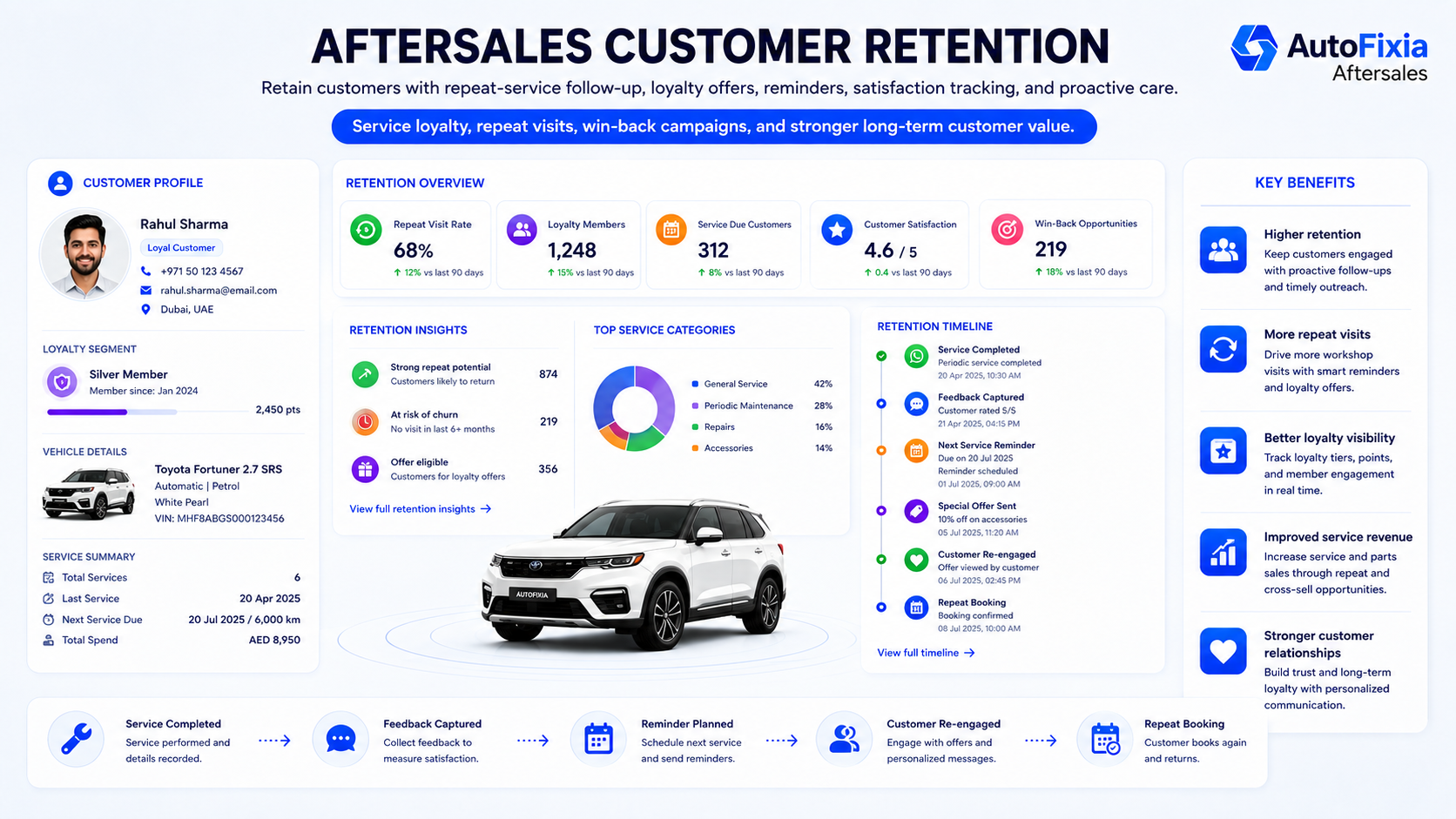
Automotive aftersales CRM manages the customer relationship after vehicle delivery. It combines vehicle ownership context, service due dates, mileage, appointments, reminders, recommendations, renewals and feedback so the dealership can retain the customer throughout ownership.
Automotive aftersales CRM is the retention layer between vehicle delivery and the customer’s next purchase. It helps service teams know which customer is due, what vehicle they own, what was previously recommended, which reminders were sent and what should happen next.
Carry customer, vehicle, VIN and delivery context into the service relationship.
Connect vehicle ownership, service history, appointments, inspections, recommendations, approvals and reminders.
Use time, mileage or combined rules to identify maintenance opportunities before they become overdue.
Convert reminders into appointments and change the communication sequence once booked.
Retain recommended but declined repairs and create a future follow-up.
Track warranty, extended warranty, maintenance contract, service contract, package or membership milestones.
Use expiry data to create relevant renewal follow-up where part of the dealership process.
Request feedback after service and keep it connected to customer and vehicle history.
Measure due, contacted, booked, overdue, returned and inactive customer segments.
Each completed sale can become an ownership lifecycle that drives service reminders, renewals, retention and eventually a replacement or upgrade opportunity.
Customer, vehicle and VIN enter lifecycle.
Post-delivery communication.
Date/mileage rules identify due.
Customer message and adviser task.
Schedule and confirm service.
Connect visit to vehicle history.
Recommendations and approvals.
Recover declined work.
Capture satisfaction.
Set future maintenance reminder.
Warranty, insurance or contract.
Identify inactive customers.
Create replacement opportunity.
Return customer into sales CRM.
Continue with next vehicle.
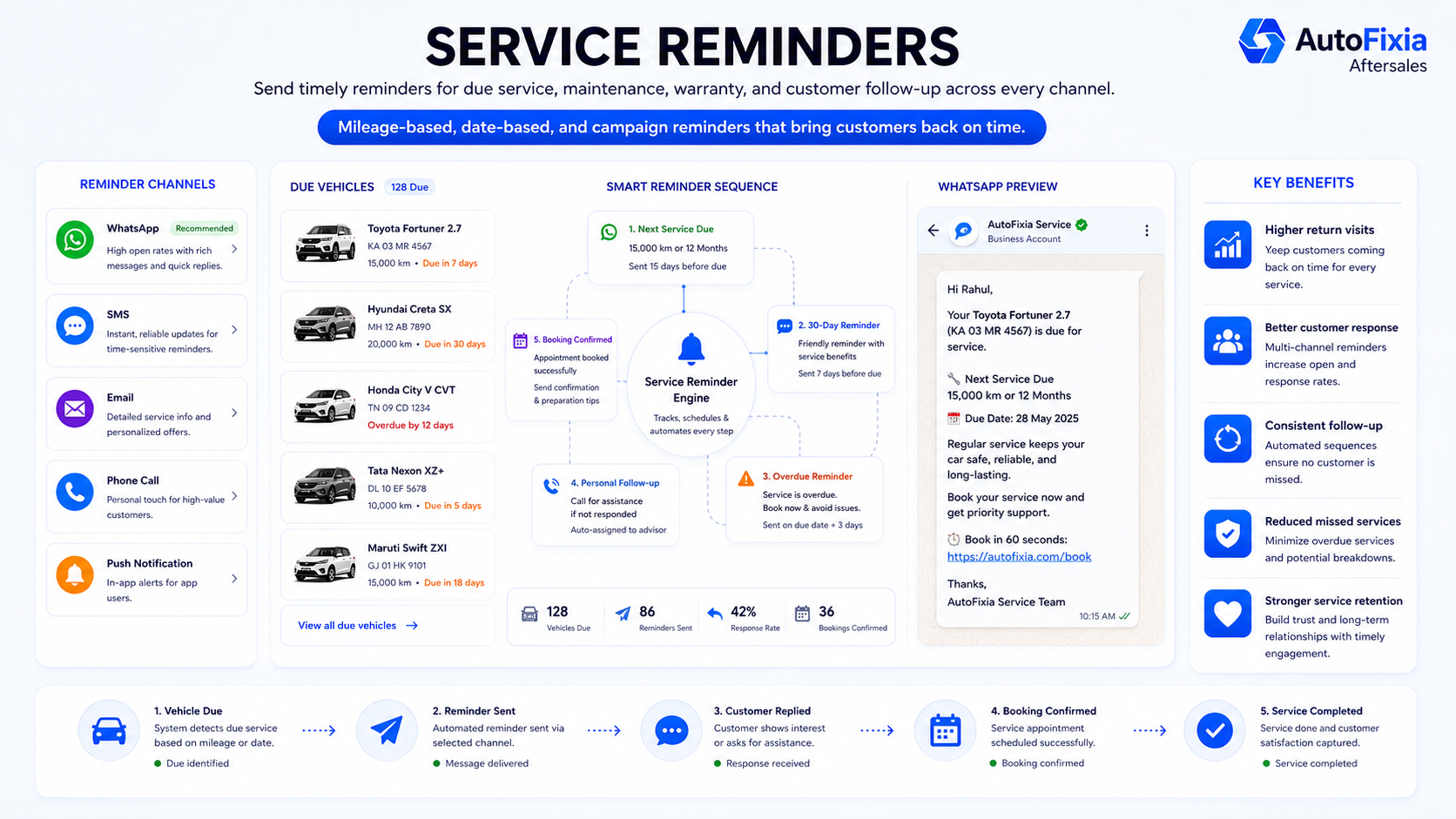
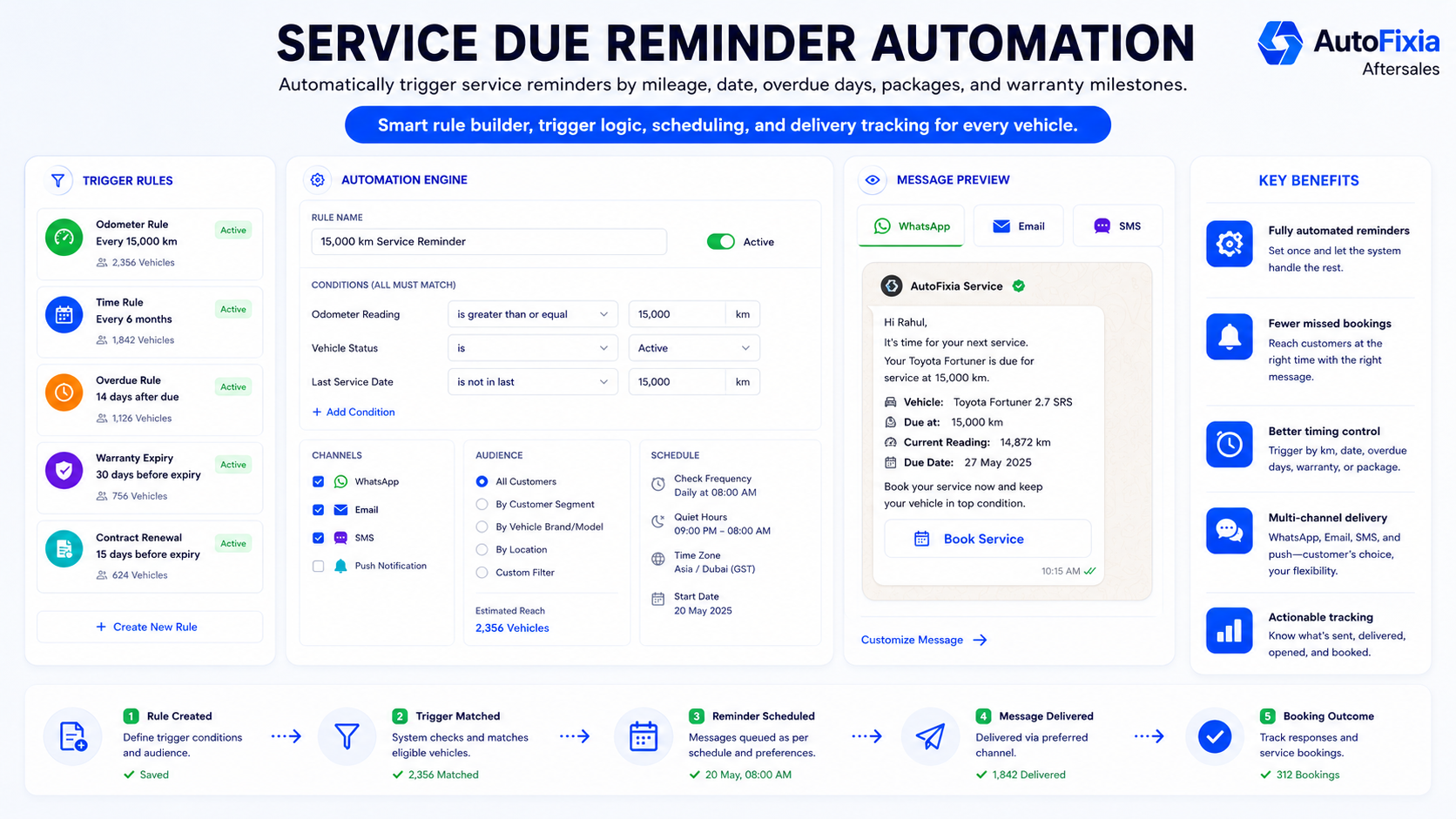
Aftersales reminders are more useful when tied to the customer’s actual vehicle lifecycle. AutoFixia can structure rules around dates, mileage and configured expiry or follow-up events.
30 days before due: first service reminder.
7 days before due: follow-up notification or adviser task.
Service overdue: create an overdue retention action.
Customer books: stop the service-due sequence and activate appointment communication.
Exact automation rules and channels depend on dealership configuration.
The page is ready for five AutoFixia screenshots using descriptive filenames and search-friendly context.
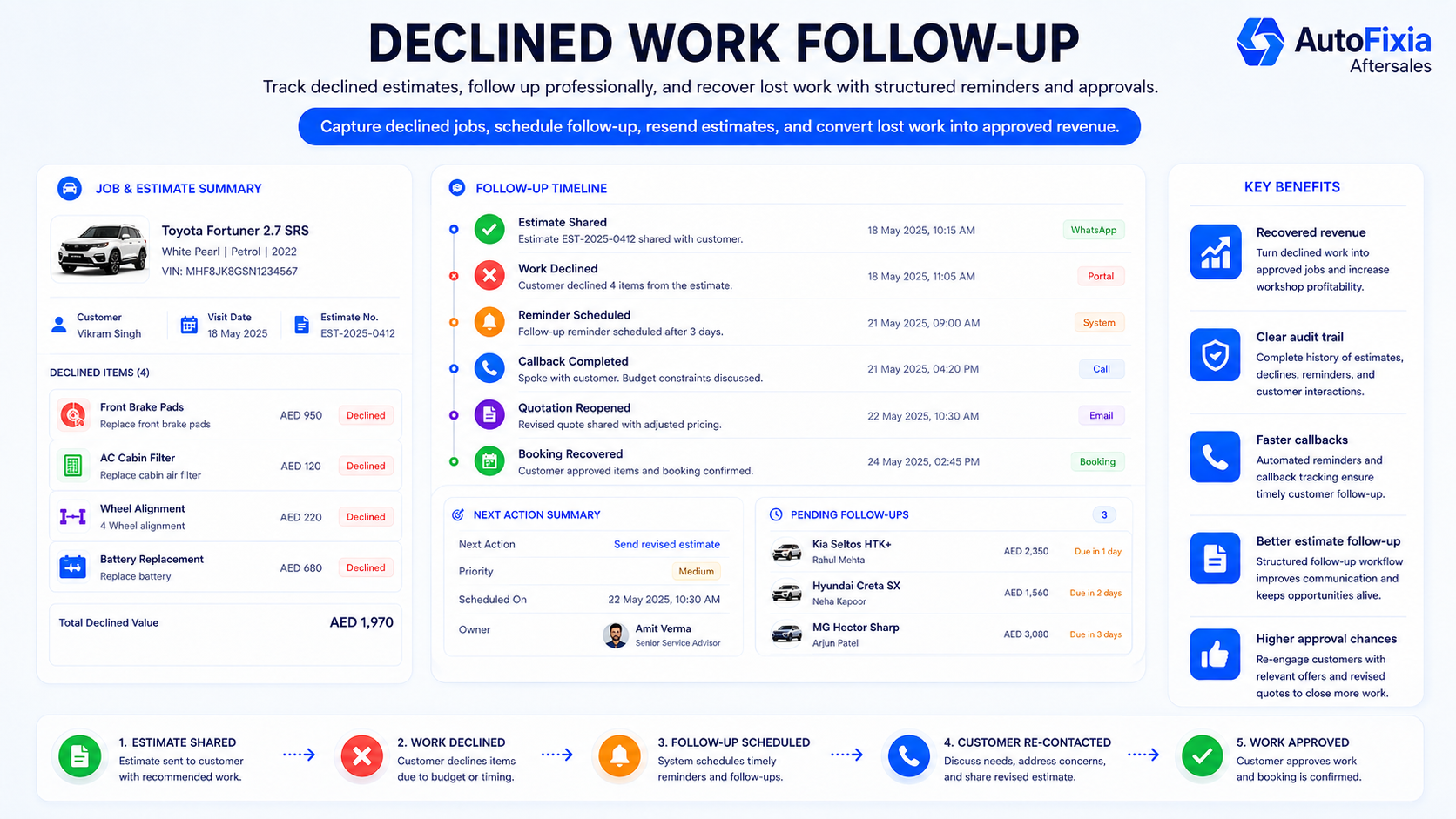
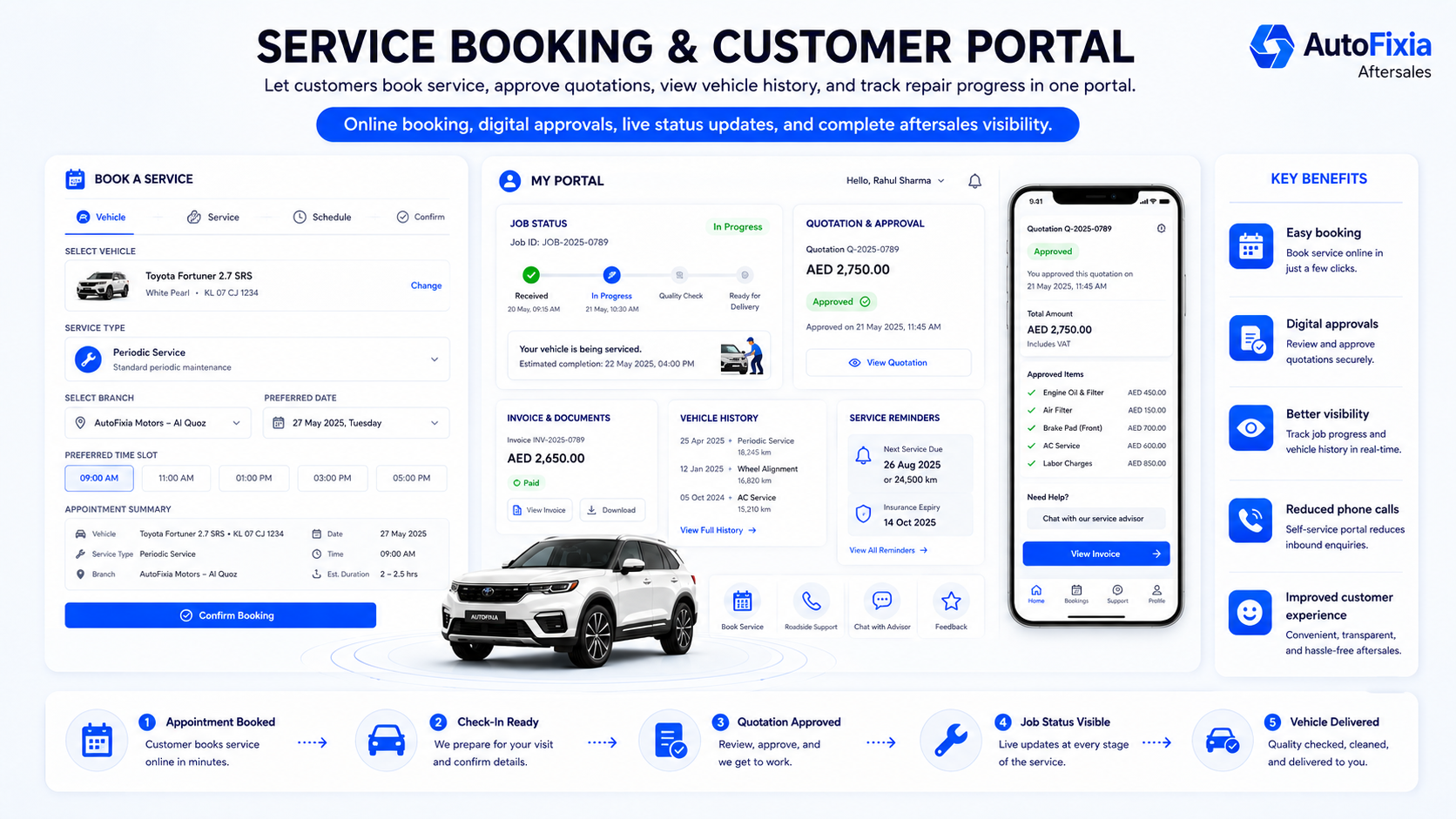
A recommendation should not disappear just because the customer declines it today. Aftersales CRM can preserve the recommended work and make the next follow-up part of the vehicle history.
When an adviser recommends brakes, tyres, battery, suspension, filters, fluids or another repair, the customer may postpone the work because of timing, budget or urgency.
A useful follow-up can refer to the actual outstanding recommendation rather than unrelated marketing. Once the work is completed, the item can be closed so the customer is not repeatedly contacted about the same repair.
The objective is better customer continuity and more relevant service communication.
Create controlled message templates around the service event, approval workflow and retention lifecycle while personalizing customer and vehicle details.
Initial reminder, follow-up reminder and overdue communication.
Booking confirmation, reschedule, appointment reminder and arrival instructions.
Notify the customer when the vehicle has been checked in.
Inspection completed, quotation ready and approval request.
Work completed, payment/collection information and handover communication.
Thank-you message, satisfaction request and escalation task.
Warranty, extended warranty, maintenance contract or package expiry reminders.
Expiry and renewal reminders where the dealership supports these services.
Next-service reminders, inactive customer outreach and relevant upgrade campaigns.
AutoFixia supports centralized customer-retention rules while maintaining branch-level responsibility for bookings, service advisers and follow-up.
Direct answers for dealerships evaluating service-retention CRM, reminder software and customer lifecycle management.
See how AutoFixia connects vehicle delivery, service reminders, bookings, recommendations, renewals, feedback and future sales opportunities.
Mon - Fri: 9 am to 5 pm